| February 11, 2018 |
Special Offer For Microsoft MVPS – Free DataKeeper!For the MVPs out thereI just got the word that this is official and we are ready to ship software…
MVPs grab your copy today and let me know what you think. The forum has invited you! I am monitoring the forum and I look forward to your feedback! Reproduced with permission from https://clusteringformeremortals.com/2013/03/07/special-offer-for-microsoft-mvps-free-datakeeper/ |
Are Replicated Clusters With DataKeeper Better?Why Replicated Clusters With DataKeeper Are Better Than Single Copy SAN Based Clusters?If you have followed the history of clustering as closely as I have for the past 10 years as a Microsoft Cluster MVP, you will notice that Microsoft has been steadily moving away from single copy clusters. It started with Windows Server 2003 with the elimination of a shared disk quorum and the introduction of majority node set quorums and the file share witness. The complaint with clusters based on shared disk quorums was that if the quorum became unavailable or corrupt, the entire cluster would fail. This was a major complaint and it was primarily what gave clustering a bad name in the early days. Once the shared disk quorum was eliminated, people were still left with their application data residing on the cluster which was also a problem as the SAN was still a single point of failure in a cluster, a performance impediment and a management headache. Microsoft has begun to address those concerns with the introduction of Exchange 2007 CCR and Exchange 2010 DAGs as well as SQL Server 2008 R2 Database Mirroring. Microsoft has eliminated Exchange 2010 single copy clusters entirely and SQL Server single copy clusters are only still around because they haven’t perfected SQL Server replication yet. The Introduction of SIOS DataKeeperHyper-V is the most recent cluster resource supported by Microsoft clustering that does not yet have a native cluster integrated replication solution. This is where SIOS DataKeeper fits in. We first demonstrated our DataKeeper Hyper-V replication solution at the Microsoft Virtualization launch in September of 2008 and have been providing HA and DR solutions for Hyper-V since Hyper-V was first introduced. Our solution is logo certified for Windows Server 2008 R2 as well as Hyper-V. Why DataKeeper?DataKeeper fills the gap left by single copy clusters as shown in the table below and subsequent paragraphs. The following customer story also highlights some of the reasons why people are adopting DataKeeper in lieu of SAN based solutions.
Eliminates single point of failureA SAN is a single entity made up of redundant pieces. To have a truly redundant SAN you need redundant controllers, power supplies, CPU’s, switches, UPS, RAM and the clients connecting to it need to have redundant NICs or HBAs and multi-path solutions configured. Even once you have eliminated hardware as a single point of failure, the SAN is still controlled by firmware which itself is a single point of failure. And then because the SAN resides in a single location, any physical disasters (think water, fire, etc.) also represents a risk. I/O PerformanceGiven same disk specs, disk installed locally will perform better than disks stored on a SAN accessed via iSCSI. Also, using local storage opens up the possibility of using even higher speed storage solutions such as flash based PCIe storage which outperforms SANs that costs hundreds of thousands of dollars at a fraction of the costs. CostNot only do you have to factor in the initial investment, which the DataKeeper solution wins by a significant percentage, you have to factor in the ongoing expense involved with maintenance, power and cooling required for any enterprise class SAN. Supports future expansion for Disaster RecoveryShould disaster recovery solutions become a requirement in the future the DataKeeper solution can easily accommodate adding an addition Hyper-V node in a remote location in a multisite cluster configuration for a robust disaster recovery solution that includes the best RTO and RPO available. The SAN solution would require the purchase of an additional SAN, replication software and might not even include cluster integration as there are only a few solutions that actually integrate with failover clustering as well as DataKeeper does. Eliminates Planned DowntimeWith SAN based cluster solutions, any maintenance on the SAN requires planned downtime. The DataKeeper solution allows for rolling upgrades, meaning planned downtime for hardware maintenance is eliminated. Eases managementSAN administration usually involves a SAN administrator who is familiar with the features and functionality of a SAN. The DataKeeper solution on the other hand is a simple software solution that is managed by the Windows Server administrator and features complete integration with Windows Server Failover Clustering, meaning the management is controlled through failover cluster, a tool which should be familiar with most Windows Administrators. SummaryIn summary, DataKeeper is able to provide a much more resilient cluster solution at a fraction of the cost of SAN based solutions. |
|
| February 10, 2018 |
SQL Server 2012 Alwayson Multisite Failover Cluster Instance White PaperBuilding SQL Server Multisite ClustersHere is an excellent white paper on SQL Server Multisite Clusters, however they forget to mention that you can also do this with host based replication. Instead, they assume you have “two EMC Symmetrix VMAX enterprise storage arrays, one at each site. The arrays were both configured with two VMAX storage engines and 240 disk drives”. How About A More Cost Effective Solution?If you have a million dollar budget for storage, go ahead and knock yourself out. If not, look into some Fusion-io PCIe Flash storage and host based replication with DataKeeper cluster edition. It is faster than a SAN at a fraction of the cost with all the availability. Check out how Polaris Industries did just this http://www.fusionio.com/blog/polaris-sios/ Reproduced with permission from https://clusteringformeremortals.com/2013/02/05/sql-server-2012-alwayson-multisite-failover-cluster-instance-white-paper/ |
| February 9, 2018 |
DataKeeper Cluster Edition for SQL Server High Availability In AWS CloudThe potential cost savings of moving to the cloud is nearly impossible not to consider. However, after you stop counting the money you are going to save, you start thinking about things like security and availability and wonder whether the cloud is for you. But fear not, we’ve got just the right solution – SIOS Datakeeper Cluster Edition. In a traditional data center, you have the control and can deploy whatever security and high availability solution you like. However, once you decide to move your servers to the cloud your choices can become much more limited. It doesn’t matter whether you’re with Amazon, Google or Microsoft, outages in the cloud can and do occur and you need to do whatever you can to mitigate such risks. Amazon Web ServicesLet’s take a closer look at Amazon Web Services (AWS) for instance. What are the options you have to ensure that your SQL Server database can survive an unexpected outage? While some applications can be deployed in a load balanced configuration across multiple availability zones, SQL Server is generally not deployed in a load balanced configuration. What this means is that SQL Server itself resides in a single availability zone and if that zone should become unavailable, your whole application stack can come to a grinding halt. SQL Server 2008 R2 and its limitationsIf you read this article by Miles Ward, you will see that with SQL Server 2008 R2, your availability options are pretty limited. In that article on page 11, there is a nice chart that lays out your HA options. As you will see, the options are severely limited and mostly fall outside of the category which would be described as HA. Log shipping, mirroring and transactional replication are pretty much the only options you have, and they are more of a data protection options rather than HA options. If you want Microsoft failover clustering, you will find yourself out of luck due to some network limitations (clients can’t connect to a clustered IP address) in AWS and the lack of a shared disk resource required for traditional SQL clusters. AWSIf you are looking to deploy SQL Server 2012, your options get a little better. As described by Jeremy Peschka, with a little manual intervention you can deploy AlwaysOn Availability Groups in AWS to do asynchronous replication from your data center to AWS, or even between AWS availability groups. Of course this assumes you have the SQL 2012 Enterprise license required for AlwaysOn Availability Groups. The only “issue” is that AWS really doesn’t support moving cluster IP address from one server to another, so client redirection has to be done manually using the ec2-unassign-private-ip-addresses and ec2-assign-private-ip-addresses commands after switchover that Peschka describes in his article. All-in-all this is a very manual process, which again does not really fit the description of a highly available system. A Solution To The LimitationsIf you can live without automated recovery and with the limitations of AlwaysOn Availability Groups that I described in a previous blog post, then you might just want to go ahead and try the AlwaysOn Availability Group deployment in AWS. However, if you are looking for an easier, more affordable, more robust HA solution, I have some really good news. SIOS Technology Corp has been looking at this problem and has developed a solution that overcomes all of the limitations previously described and will be available as an AMI for easy deployment. This solution is currently in private beta, but will be widely available later this year. SIOS DataKeeper Cluster EditionThe SIOS solution is based on SQL server in a Microsoft Failover Clustering using DataKeeper Cluster Edition host based replication. By using hosted based replication they have overcome the first obstacle of clustering in EC2 – lack of shared storage. The second obstacle that SIOS had to overcome was the issue of client redirection described by Peschka; the client access point needs to be manipulated from within EC2, not failover clustering. SIOS has built intelligence into their AMI solution such that the reassigning of the IP address is automated as part of the cluster failover process, effectively simulating the behavior you would normally expect from a cluster. And because all of this is built on top of failover clustering, this can be deployed using SQL 2008/2008 R2 or 2012. Even the Standard Edition of SQL Server will support a 2-node cluster so the cost savings vs. deploying SQL 2012 AlwaysOn Availability groups could be substantial. Let me know what you think. Does SIOS Datakeeper Cluster Edition sound interesting? What are you doing today to ensure the availability of your SQL Server EC2 instances? Reproduced with permission from https://clusteringformeremortals.com/2013/01/11/sql-server-high-availability-in-aws-cloud/ |
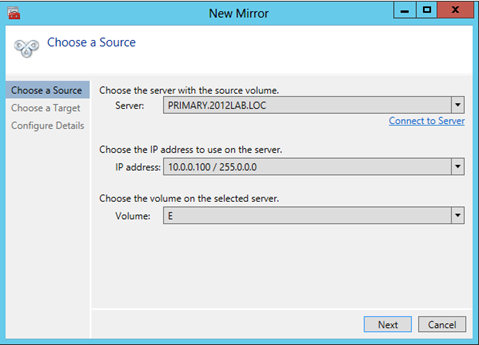
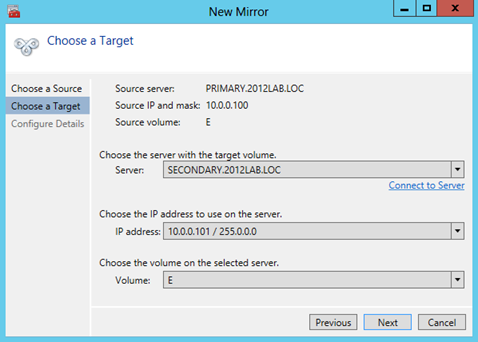
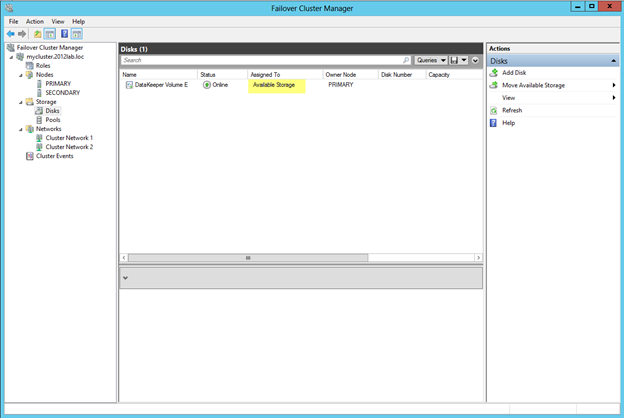
Clustering SQL Server 2012 On Windows Server 2012 with DataKeeperA Little RecapIn my previous post I walked through the process of building a 2-node cluster up to the point where we are ready to start clustering SQL Server 2012 on Windows Server 2012. If you have completed those steps, you are ready to move on and actually create your clustered application with my suggested SIOS Datakeeper Cluster Edition. Next step, clustering SQL Server 2012First up, we have SQL Server 2012. SQL Server 2012 cluster installation is pretty much identical to SQL 2008/2008 R2 cluster installations, so most of this will apply even if you are using SQL 2008/2008 R2. The terminology around SQL Server 2012 Clustering gets a little convoluted. You will hear mention of SQL Server AlwaysOn, which essentially could mean one of two different things: AlwaysOn Availability Groups or AlwaysOn Failover Cluster Instance. The confusion arises because both solutions require some level of integration with Windows Server Failover Clustering and it is even further confused by the fact that you can deploy a combination of AlwaysOn Availability Groups and AlwaysOn Failover Clustering, but that is a topic for another day! Breaking It Down In Easy-To-Understand TermsEssentially AlwaysOn Availability Groups is what used to be called Database Mirroring in SQL 2008 R2 and earlier. It has some new bells and whistles that overcome some of the limitations of earlier versions of database mirroring, so it is certainly worth checking it out. AlwaysOn Failover Cluster Instance is simply what used to be called a SQL Server Failover Cluster. This is the latest edition of the same clustering technology that has been available since early versions of SQL Server. One of the best new features of SQL Server 2012 AlwaysOn Failover Cluster Instance is the ability to have nodes in different subnets. This was a major limitation in earlier versions of SQL Server. In a previous blog entry I discussed some of the limitations of AlwaysOn Availability Groups, you should check that out before you make any decisions on which technology to deploy. Let’s StartWith that said, this article is going to focus on the Step-by-Step instructions on deploying a SQL Server 2012 AlwaysOn Failover Cluster Instance. Step 1Make sure your cluster storage is ready. If you followed the instructions in my previous post, you will know that instead of a shared disk resource, we are going to use a replicated disk resource using the 3rd party software DataKeeper Cluster Edition. If you are using shared storage and have added the storage than you can skip right to Step 2 where we begin the SQL install. Otherwise, follow the steps below to configure the software to replicate the local disks for use in a SQL cluster. Configuring DataKeeper Cluster Edition
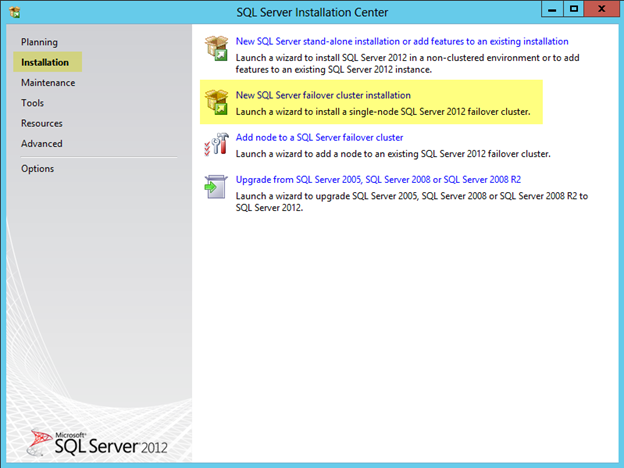
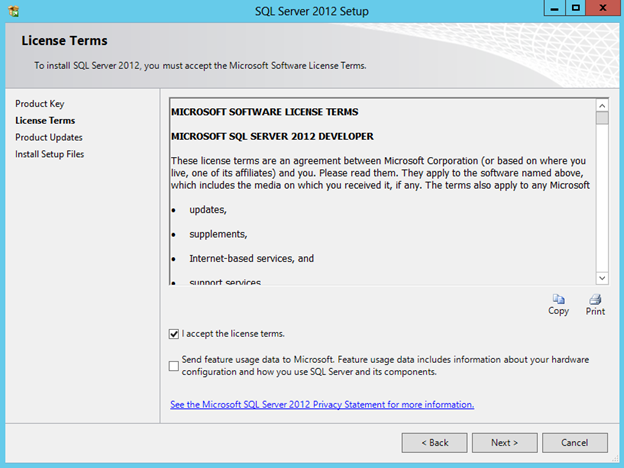
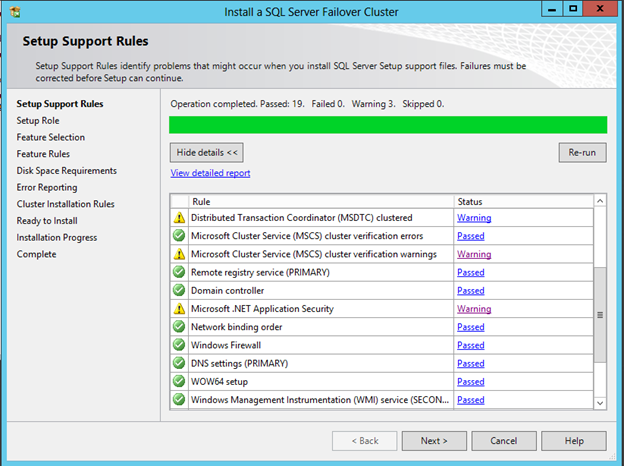
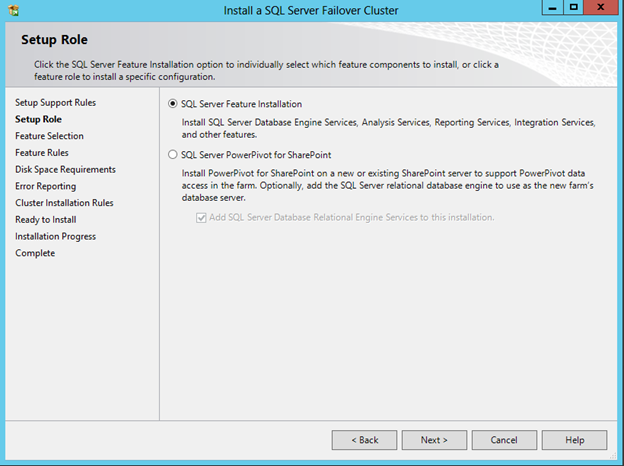
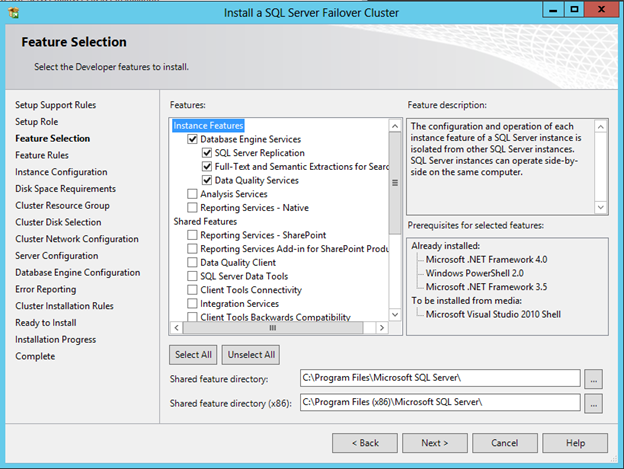
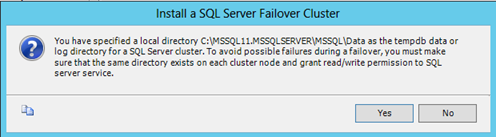
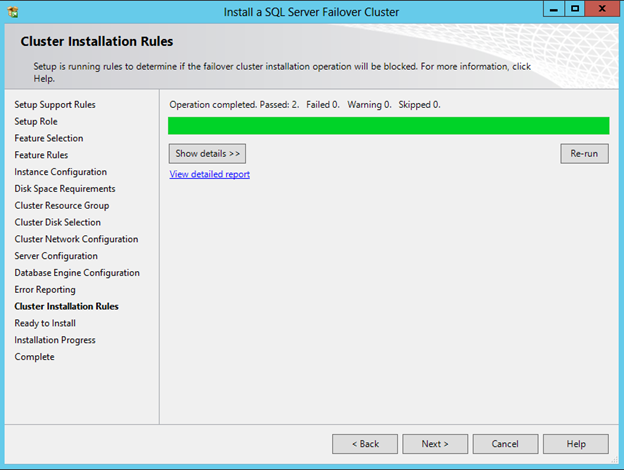
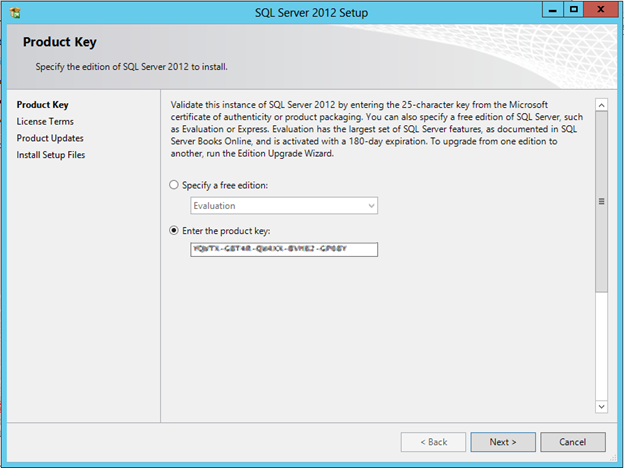
Step 2We are going to begin the installation of SQL Server 2012 on the first cluster node.
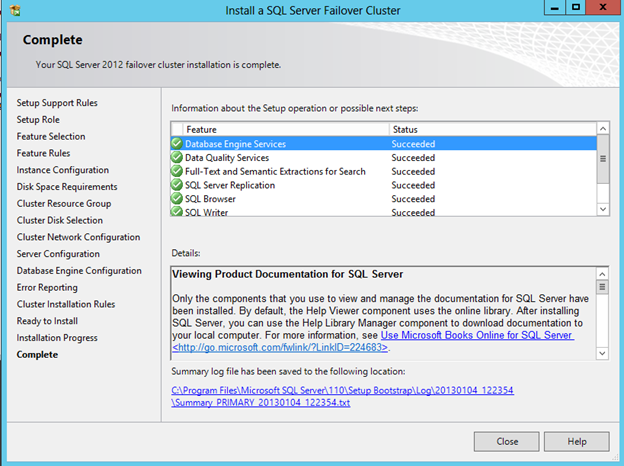
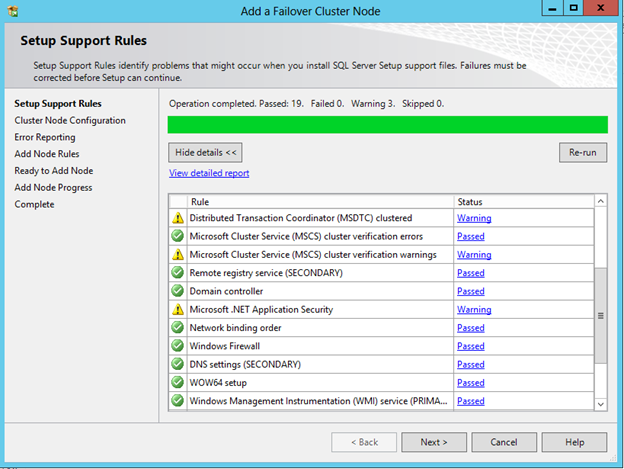
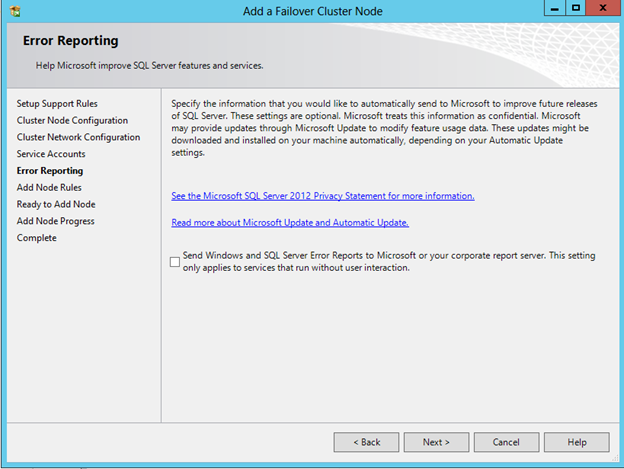
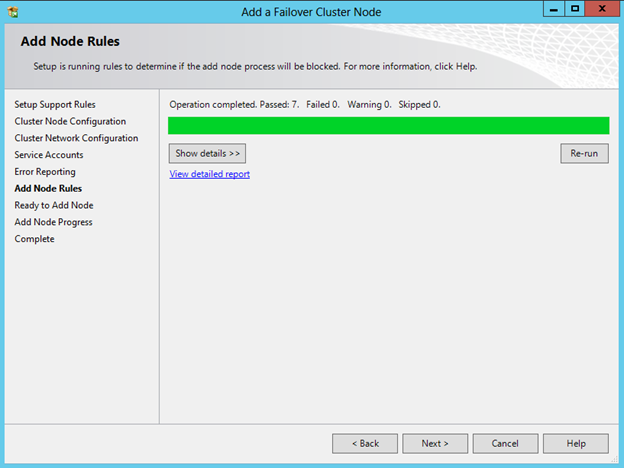
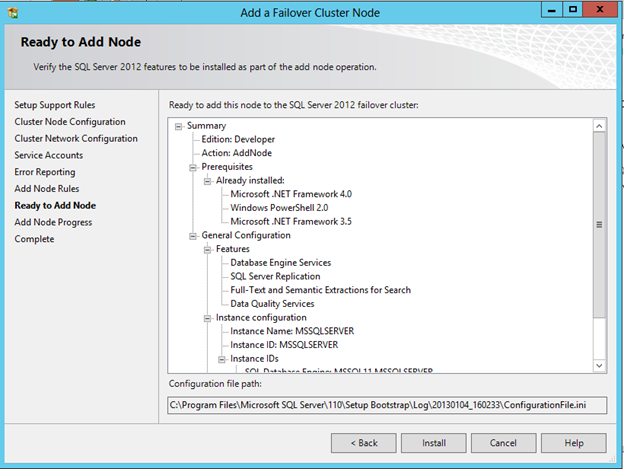
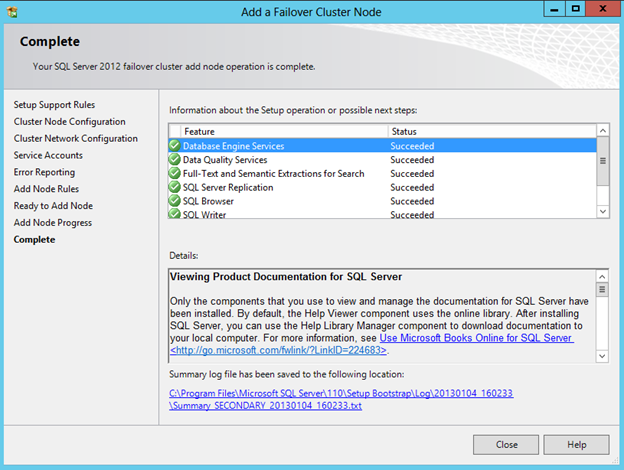
We are now ready to install SQL on the second node of the cluster.
Reproduced with permission from https://clusteringformeremortals.com/2013/01/05/clustering-sql-server-2012-on-windows-server-2012-step-by-step/ |







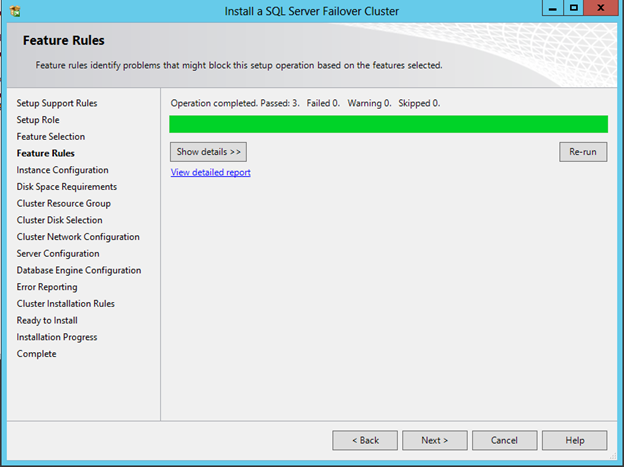

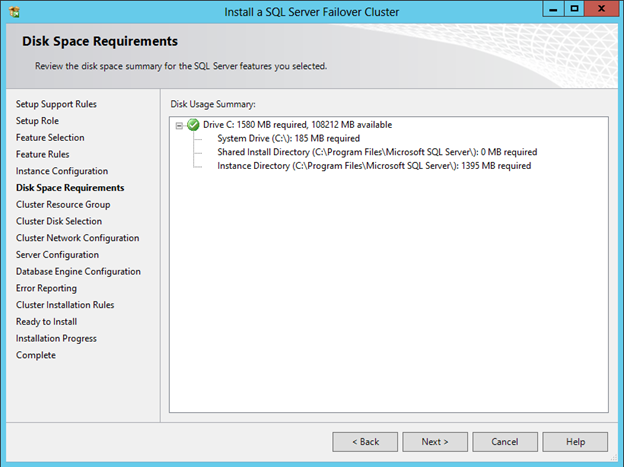


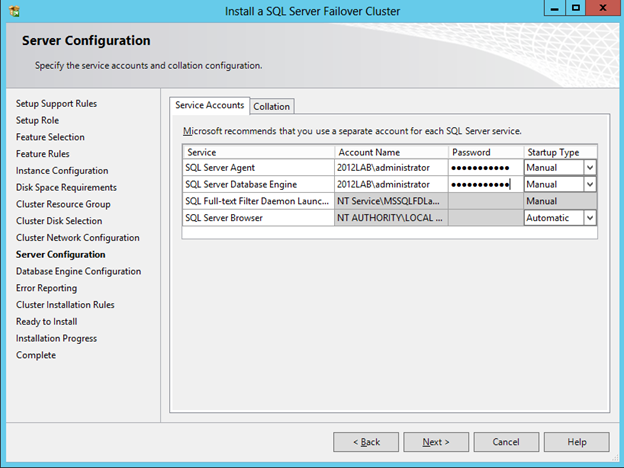
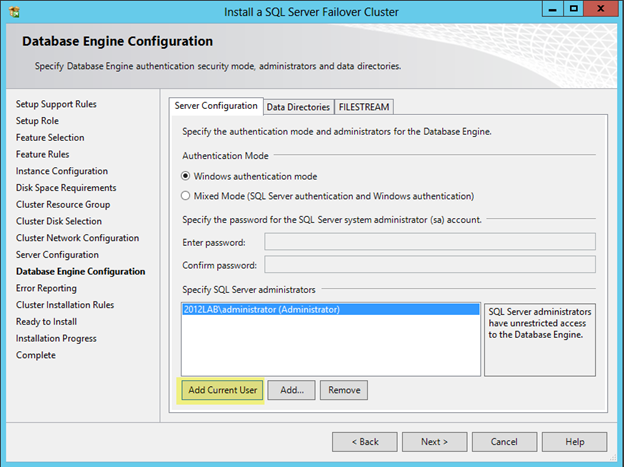










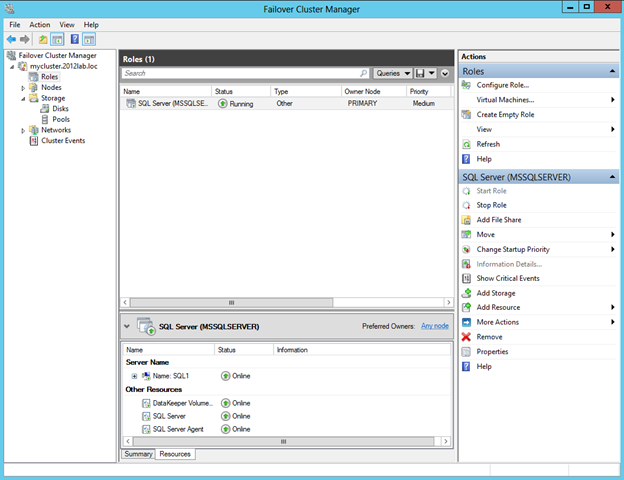 This article “clustering SQL Server 2012 in a Windows Server 2012 cluster” was meant to be just a quick run through on how to install SQL 2012 in a Windows Server 2012 cluster. For additional reading start