SIOS SANless clusters

SIOS SANless clusters High-availability Machine Learning monitoring

  • Home
  • Products
    • SIOS DataKeeper for Windows
    • SIOS Protection Suite for Linux
  • News and Events
  • Clustering Simplified
  • Success Stories
  • Contact Us
  • English
  • 中文 (中国)
  • 中文 (台灣)
  • 한국어
  • Bahasa Indonesia
  • ไทย

Microsoft End-To-End Cross-Site Disaster Recovery Solution

January 23, 2018 by Jason Aw Leave a Comment

Cross-Site Disaster Recovery Solution

Microsoft has recently updated their Virtualization Continuity page with some good information.

Implementing a reliable, rapid-recovery strategy can be time-consuming to implement and expensive to manage. Due to the complexity and cost, many companies simply don’t have comprehensive business continuity plans to protect their data and ensure application availability.

Virtualization has been a game changer for many companies. With virtualization based Site Recovery solutions, you can ensure higher availability and business continuity options. Windows Server provides support for a wide range of industry leading, shared storage solutions to deliver Quick and Live Migration. Combined with partner cross-site data management and replication technologies, Microsoft is offering complete Cross-Site Disaster Recovery Solution

In summary, Microsoft Site Recovery solutions provide these key benefits:

  • Bullet proof application and data availability across a range of applications
  • Site-wide disaster recovery that can help you gain immediate and long-term operational and capital benefits
  • Automated fail-over and fail back based on clustering and data resynchronization delivering superior application and data availability, for planned and unplanned downtime

Also, they have recently published a white paper entitled “Microsoft End-to-End Cross-Site Disaster Recovery Solutions“. This is a must read for anyone deploying SteelEye DataKeeper in a Cross-Site Disaster Recovery configuration.

Reproduced with permission from https://clusteringformeremortals.com/2009/12/22/microsoft-end-to-end-cross-site-disaster-recovery-solution/

Filed Under: Clustering Simplified Tagged With: cross site disaster recovery solution, Cross-Site Disaster Recovery Solutions, disaster recovery, Live Migration, Microsoft, Microsoft Site Recovery, migration, Quick Migration, recovery, Virtualisation Continuity

Kerio Mailserver Cluster And Disaster Recovery Solution

January 22, 2018 by Jason Aw Leave a Comment

I was introduced to Kerio MailServer from one of my customers. They like Kerio for their SMB because it is inexpensive and uses a flat-file database architecture which allows them to access objects down to the individual email. This makes backup, restore, mail merging, etc. very easy for them. It sounds like it really meets their needs nicely.

They recently were looking for some added data protection for Kerio disaster recovery. While restoring Kerio from backup tapes is easy enough, they want to provide a better recovery point objective (RPO) and Recovery Time Objective (RTO). They found that SteelEye DataKeeper fit the bill perfectly as they were able to do real-time replication and have a standby Kerio server up and operational in just a few minutes.

Here is a blog post that discusses their experience during their evaluation of SteelEye DataKeeper.

Reproduced with permission from https://clusteringformeremortals.com/2009/09/04/kerio-mailserver-cluster-and-disaster-recovery-solution/

Filed Under: Clustering Simplified Tagged With: DataKeeper Cluster Edition, disaster recovery, Kerio, real-time replication, recovery point objective

Steeleye Datakeeper Cluster Edition Wins Windows It Pro Best High Availability/Disaster Recovery Awards

January 20, 2018 by Jason Aw Leave a Comment

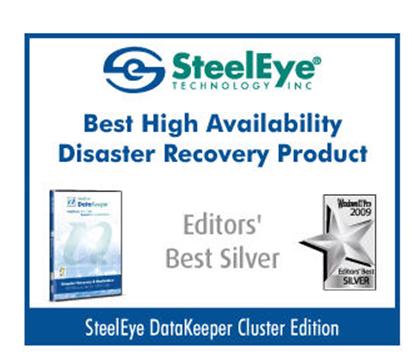
I am pleased to announce that Windows IT Pro has awarded SteelEye DataKeeper Cluster Edition the Best High Availability and Disaster Recovery Product in two categories; Community Choice Gold Award and Editors’ Best Silver Award.

SteelEye DataKeeper Cluster Edition - Best High Availability Disaster Recover ProductSteelEye DataKeeper Cluster Edition - Best High Availability Disaster Recover Product

I am really proud to be a part of the SteelEye DataKeeper team and I appreciate all of the Windows IT Pro community that voted for us in the Community Choice award!

Reproduced with permission from https://clusteringformeremortals.com/2009/11/20/steeleye-datakeeper-cluster-edition-wins-windows-it-pro-best-high-availabilitydisaster-recovery-awards/

Filed Under: Clustering Simplified, Datakeeper Tagged With: DataKeeper, DataKeeper Cluster Edition, disaster recovery, High Availability, Windows IT Pro

IT Briefcase Exclusive Interview with SIOS Technology: SAN-based vs. Cloud Clusters

December 15, 2014 by <a href="/tag/it-briefcase/">IT Briefcase</a> Leave a Comment

In this interview,  Jerry Melnick, COO, SIOS Technology discusses the difference between SAN-based and Cloud data storage clusters, and the benefits and drawbacks of each approach.

SAN-based clusters have been the traditional way to protect critical applications and data. Is this still the case?
Traditional clusters based on shared storage (typically SAN) are no longer the de facto choice for providing high availability and disaster protection for business critical applications. Companies are finding new ways to combine physical, virtual, and cloud environments into new configurations to control costs and stay agile in today’s demanding marketplace. In these environments, traditional SAN-based clusters have significant drawbacks. SAN storage can be costly to buy and require specialized skills to manage. They also introduce the risks of a single point of failure. In addition, shared storage is not typically offered in public cloud environments. In these environments, SANLess clusters that provide the same level of protection without requiring shared storage are often a better option.

Can you create a cluster in the cloud?
Yes, in a Windows environment, you can use native Windows Server Failover Clustering to create a cluster in a cloud by simply adding SANLess clustering software. You can locate cluster nodes in geographically separated instances in public cloud environments for disaster protection. The software synchronizes local storage on source and target nodes in the cloud, making them appear to the WSFC as shared storage. If a failure occurs, WSFC moves the application operation to the remote node in the same way it does in a traditional shared storage cluster.

What technologies are available to reduce the financial burden of SAN administration and deliver the flexibility data centers need today?
SANLess clusters reduce the financial burden of traditional shared storage clusters in severael ways. They eliminate the significant hardware cost of SAN storage. They eliminate the labor cost of specialized SAN administration. \ SANLess clusters also support local SSD storage, enabling high performance and high availability for a fraction of the cost of a SAN-based cluster.

How can a SANLess cluster make providing disaster protection easier?
A SANLess cluster solution lets you implement disaster protection without the need for identical SAN hardware in both your primary and disaster recovery locations. You can replicate between any two environments physical, virtual, or cloud for disaster protection. For example, you can maintain a SAN or SANLess cluster at your primary data center and add a node in a public cloud for disaster recovery. This configuration not only saves the cost of SAN storage, but also the cost of building out a remote data center.

You can create SANLess clusters in a public cloud with nodes in separate geographic zones or even in two different public cloud provider environments, such as Amazon EC2 and Microsoft Azure for protection from local, regional, and even provider-wide outages.

Do traditional high availability clusters have an impact on application performance?
Because SAN-based clusters are typically optimized for capacity rather than performance, SANs can slow performance of highly transactional applications, such as SQL Server and Oracle databases. SAN performance can lag behind new, faster server CPUs, causing idle server time, slower application response times, and a potentially costly loss of productivity. Because SANLess environments access disk installed locally, there is no latency and no loss of performance in servers with even the fastest CPUs. As noted above, you can also use SANLess clusters with cost-efficient local high performance SSD storage.

Can you use a SANLess cluster in a virtual server environment?
Yes you can. In fact, SANLess clusters eliminate the limitations imposed when you use traditional shared storage based technology for clustering VM’s in a virtual environment. When using traditional shared storage clustering in virtual server environments, you need to use using Raw Disk Mapping (RDM) or Pass-through disks. This is a complex storage setup that limits desirable virtual machine functionality and mobility such as VMotion/Live Migration. In contrast, SANLess clustering supports all of the flexibility and agility offered in the virtual environment. It does this by allowing you to use virtual disks native to the hypervisor such as VMDK’s or VHDs thereby eliminating the need for RDM or Pass-through configurations.

What if I already have a SAN?
If you have already made the investment in SAN storage, you can continue to use it and protect your business critical applications with a SAN-based cluster. However, you may want to extend the cluster up into a cloud environment as a simple, cost-efficient way to protect your business critical applications from disasters without the need for a remote data center or disaster recovery site. Replicating from a cluster node connected to a SAN to another cluster node in the cloud can allow you to configure a multi-site WSFC failover between both environments with nodes in more than one geographic location for protection against local, regional and national disasters.

What is SIOS SAN and SANLess clustering software?
SIOS SAN and #SANLess clustering software provides the flexibility to build clusters your way to protect your choice of Windows or Linux environment and in any configuration (or combination) of physical, virtual and cloud (public, private, and hybrid) without sacrificing performance or availability. SIOS’ unique #SANLess clustering allow you to configure clusters with local storage, eliminating both the cost and the single-point-of-failure risk of traditional shared-SAN storage.

Jmelnick 4x6 hi res IT Briefcase Exclusive Interview with SIOS Technology: SANS based vs. Cloud Clusters

Jerry Melnick
COO, 
SIOS Technology Corp.

Jerry Melnick is responsible for defining corporate strategy and operations at SIOS Technology Corp. (http://www.us.sios.com), maker of SIOS SAN and #SANLess cluster software. He more than 25 years of experience in the enterprise and high availability software industries. He holds a Bachelor of Science degree from Beloit College with graduate work in Computer Engineering and Computer Science at Boston University.

Filed Under: News and Events, News posts Tagged With: #SANLess, #SANLess Clusters for Linux Environments, #SANLess Clusters for SQL Server Environments, #SANLess Clusters for Windows Environments, Amazon EC2, Amazon Web Services, Azure, Cloud, Clusters Your Way, disaster recovery, HA, High Availability, IT Briefcase

Yahoo Finance: SIOS and Storage Switzerland Webinar Featuring Analyst George Crump Unveils HA and DR Must-Haves for High Availability and DR Protection in the Cloud

October 22, 2014 by <a href="http://finance.yahoo.com/news/sios-storage-switzerland-webinar-featuring-130000403.html">Yahoo Finance</a> Leave a Comment

SIOS Technology Corp., maker of SAN and #SANLess clustering software products, today announced a joint, live webinar featuring Storage Switzerland President and Founder George Crump and SIOS Technology Director of Field Engineering Tony Tomarchio. George and Tony will discuss the best practices for selecting a method of protecting Microsoft applications and data from downtime in an Amazon Web Services, Azure or other cloud environment.

The live webinar “HA and DR Must-Haves for High Availability and DR Protection in the Cloud” will be held on Wednesday, October 29, 2014 at 10:00a PST / 1:00p EST.

To register, please visit here: http://storageswiss.com/2014/10/07/ha-and-dr-must-haves/

In this webinar, attendees will learn:

  1. The advantages of a hybrid cloud or full cloud SQL Server environment
  2. The limitations of cloud environments when it comes to providing HA and DR3.
  3. The difficulty in implementing SQL Server in a “hybrid” fashion
  4. How to overcome these limitations to provide full HA and DR

George Crump, president and founder of Storage Switzerland, has more than 25 years of experience designing storage solutions for data centers across the U.S., he has seen the birth of such technologies as RAID, NAS and SAN. Prior to founding Storage Switzerland he was CTO at one the nation’s largest storage integrators where he was in charge of technology testing, integration and product selection.

At SIOS Technology, Tony Tomarchio is responsible for defining and delivering technical pre-sales services, support and best practices to SIOS customers, prospects and partners. Tony has more than a decade of experience providing systems management and high availability solutions to enterprise customers.

About SIOS Technology Corp.

SIOS Technology Corp. makes SAN and #SANLess software solutions that make clusters easy to use and easy to own. An essential part of any cluster solution, SIOS SAN and #SANLess software provides the flexibility to build Clusters Your Way™ to protect your choice of Windows or Linux environment in any configuration (or combination) of physical, virtual and cloud (public, private, and hybrid) without sacrificing performance or availability. The unique SIOS #SANLess clustering solution allows you to configure clusters with local storage, eliminating both the cost and the single-point-of-failure risk of traditional shared (SAN) storage.

Founded in 1999, SIOS Technology Corp. (www.us.sios.com) is headquartered in San Mateo, California, and has offices throughout the United States, United Kingdom and Japan.

SIOS, SIOS Technology, SIOS DataKeeper, SIOS Protection Suite, Clusters Your Way, and associated logos are registered trademarks or trademarks of SIOS Technology Corp. and/or its affiliates in the United States and/or other countries. All other trademarks are the property of their respective owners.

Contact

Winkowski Public Relations, LLC for SIOS
Beth Winkowski, 978-649-7189
bethwinkowski@US.SIOS.com

Filed Under: News and Events, News posts Tagged With: #SANLess, #SANLess Clusters for SQL Server Environments, #SANLess Clusters for Windows Environments, Amazon EC2, Amazon Web Services, Azure, Cloud, disaster recovery, HA, Press Release

  • « Previous Page
  • 1
  • …
  • 22
  • 23
  • 24
  • 25
  • Next Page »

Recent Posts

  • The Critical Role of QA and Production Environments in High Availability
  • The Danger of Turn It Off, Turn It Back On Again Thinking in High Availability
  • SIOS Partnerships
  • Common Customer Misconceptions
  • DataKeeper

Most Popular Posts

Maximise replication performance for Linux Clustering with Fusion-io
Failover Clustering with VMware High Availability
create A 2-Node MySQL Cluster Without Shared Storage
SAP for High Availability Solutions For Linux
Bandwidth To Support Real-Time Replication
The Availability Equation – High Availability Solutions.jpg
Choosing Platforms To Replicate Data - Host-Based Or Storage-Based?
Guide To Connect To An iSCSI Target Using Open-iSCSI Initiator Software
Best Practices to Eliminate SPoF In Cluster Architecture
Step-By-Step How To Configure A Linux Failover Cluster In Microsoft Azure IaaS Without Shared Storage azure sanless
Take Action Before SQL Server 20082008 R2 Support Expires
How To Cluster MaxDB On Windows In The Cloud

Join Our Mailing List

Copyright © 2026 · Enterprise Pro Theme on Genesis Framework · WordPress · Log in